MailGeni: AI assistant for faster, more professional Gmail messages
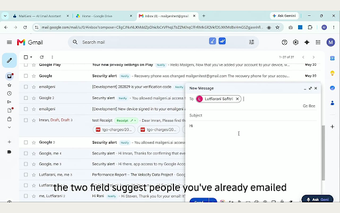
MailGeni, developed by the MailGeni team, is an AI-powered Chrome extension that speeds up composing and replying within Gmail. It helps convert short prompts into polished drafts, offers one-click reply suggestions, and produces thread summaries inside the browser. The extension includes tone controls and grammar refinement so messages match the desired formality. It targets busy professionals, sales and support teams, and students who handle frequent email workloads and need quicker, consistent responses.
It addresses the blank-page problem by turning terse notes into send-ready copy
The app can take minimal input and expand it into a complete message, which reduces the effort of starting emails from scratch. That workflow focus is aimed at users who routinely draft similar messages, helping them move from an idea to a finished draft with fewer keystrokes. In practice this replaces repetitive composition work and shortens the time between reading a message and sending a reply.
It keeps replies on-topic by using conversation context rather than isolated suggestions
The app examines the thread history to generate replies that match the preceding exchange, so suggestions reflect the flow of the conversation. That contextual analysis supports more relevant responses than single-line smart replies, and it helps preserve continuity in long exchanges. For multi-message threads this reduces the need to re-read every message before replying.
Its data model relies on remote processing, so privacy and content choices matter
The developer processes email text to produce AI output, and the extension operates through an active internet connection rather than a local model. Users do not need to supply a separate AI API key, but processing occurs off‑device. Teams and individuals should account for that processing model when deciding whether to run the tool on sensitive accounts.
Chrome‑only, Gmail-focused design fits high-volume Gmail users but limits cross-provider use
The app installs as a Chrome extension and is optimized for the Gmail web interface, which simplifies setup for Gmail power users. User feedback highlights easy installation and the integrated suggestions inside compose windows. That tight integration benefits single-provider workflows, but it does not extend to other webmail services or non-Chrome browsers.
Practical pick for Gmail power users who want faster routine replies
MailGeni is a practical choice for professionals and teams that rely on Gmail and want to reduce time spent on repetitive messages. Its design favors users comfortable with cloud-based AI processing, and it is less suitable for workflows spanning multiple email providers. Try the tool on standard, non-sensitive threads first to confirm tone and behavior before wider adoption.